
Controlling how often a message appears is key to maintaining a good user experience without overwhelming visitors. The Exit Revive plugin allows you to customize the frequency of message display to fit different engagement strategies — whether you want a message to appear repeatedly, just once, or after a specific period of time.
Under the General tab, you’ll find three main frequency options:
-
Show with every page or post refresh
- The message will appear every time the user loads or refreshes a page.
- Ideal for time-sensitive promotions or urgent messages that should be seen often.
-
Present only a single time (will require dismissal by the user)
- The message is shown just once per session or visit.
- The user must manually close the message for it to disappear.
- Great for important but non-intrusive notices like cookie disclaimers or announcements.
-
Appear once and then remain hidden for a specified number of days
- After appearing one time, the message won’t show again for the number of days you specify.
- Useful for recurring offers, reminders, or limited-time campaigns that don’t need to appear too often.
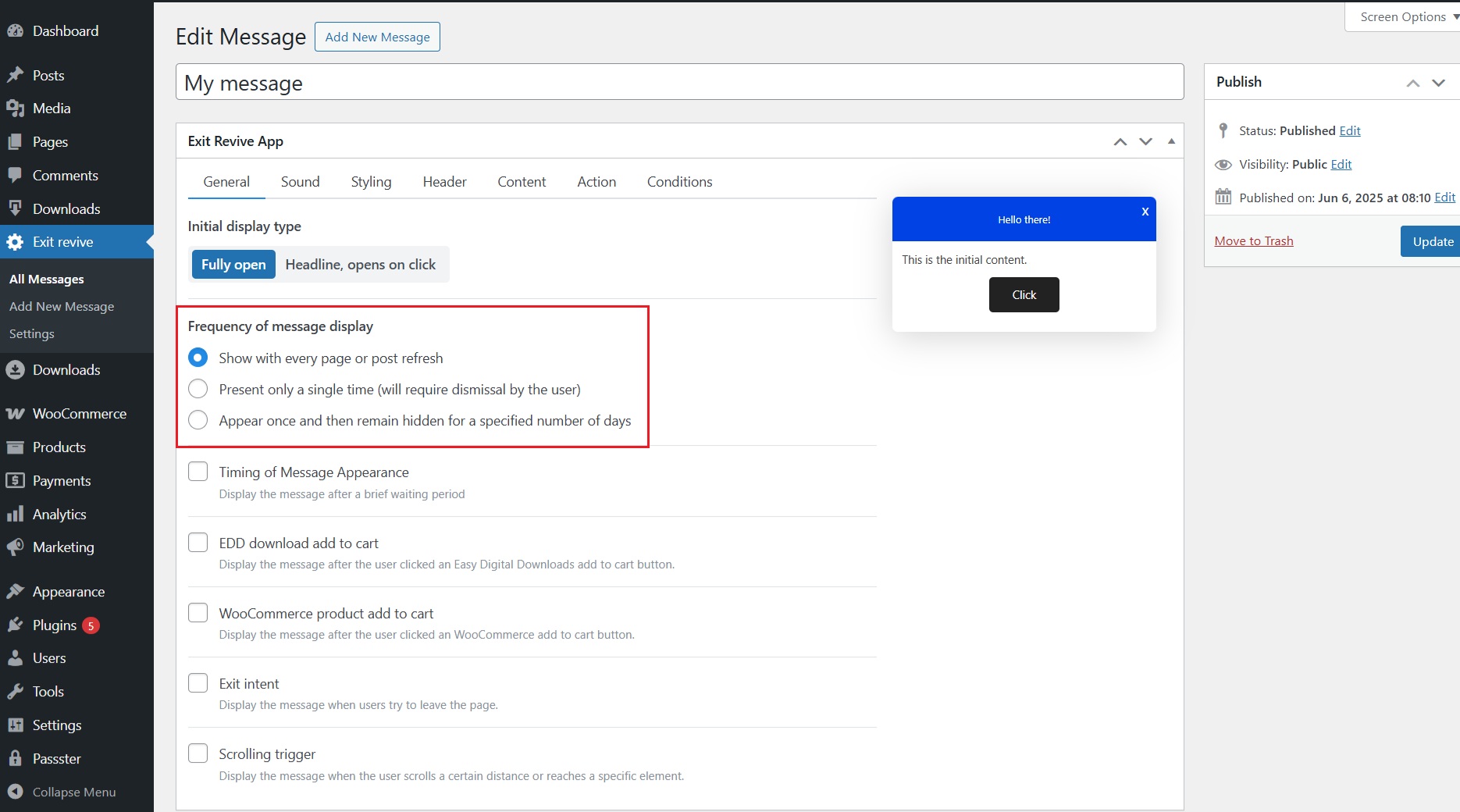
Each setting gives you control over how persistent or subtle your popups are, allowing you to tailor the experience based on your site’s goals and audience behavior.