
The Exit Intent feature is designed to display a message (popup) exactly when a user is about to leave the page. It’s a great way to grab their attention before they go – whether to offer a discount, capture an email, or deliver an important message.
Here’s how to create an exit intent message
-
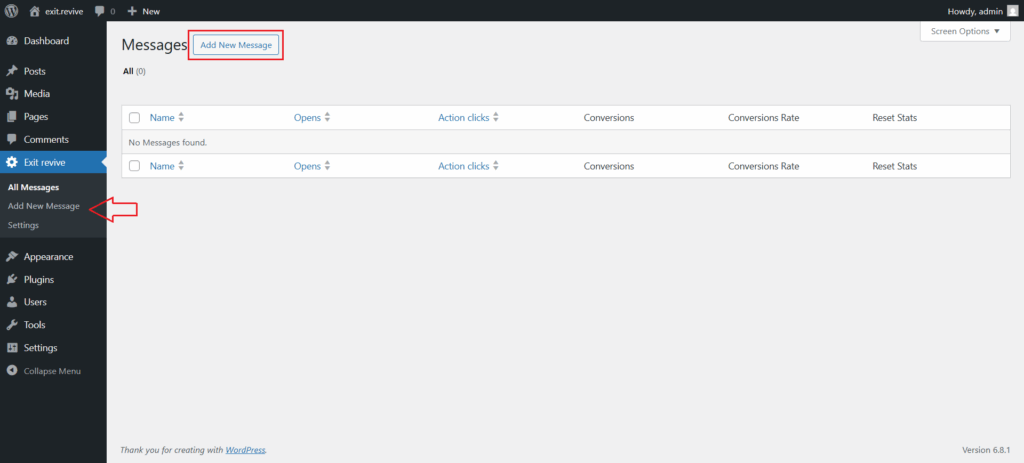
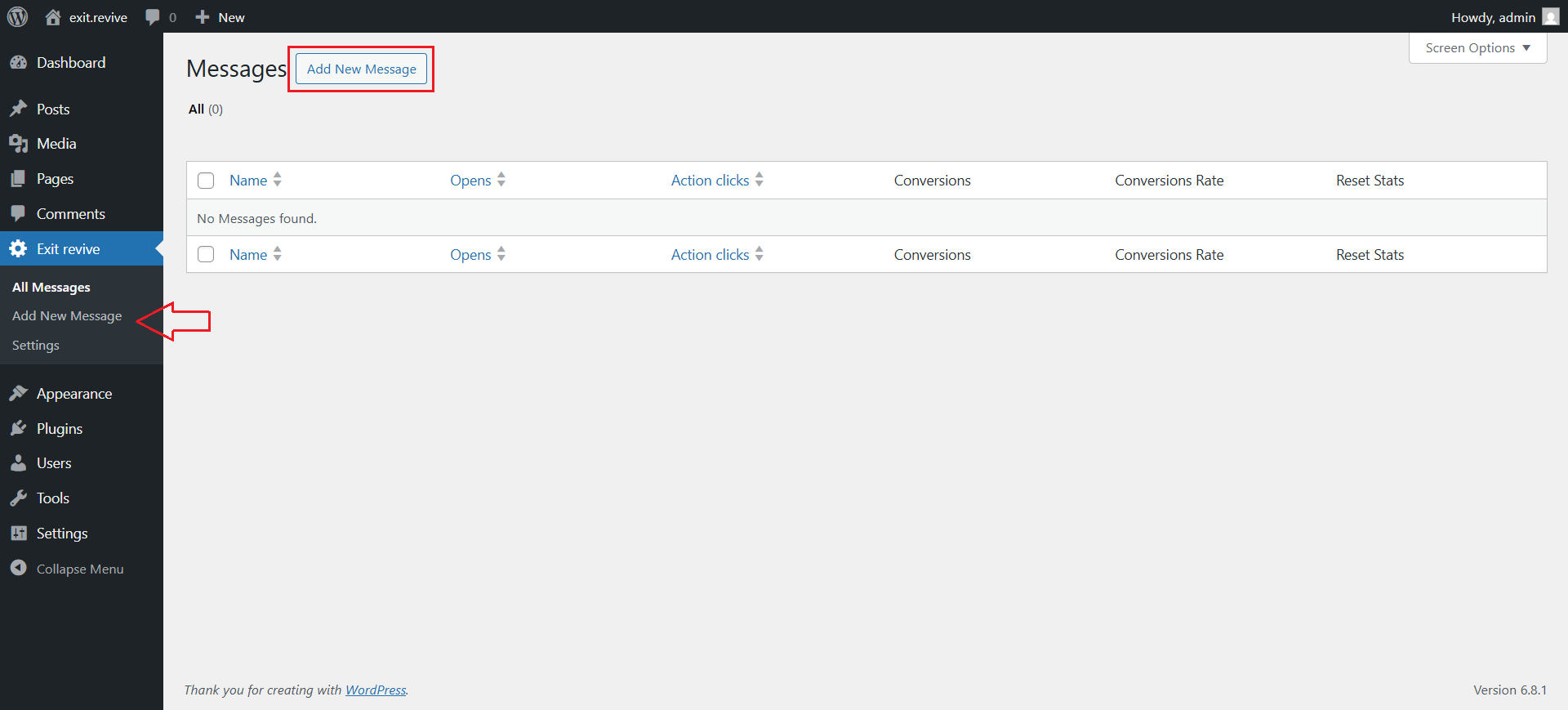
Head over to your WordPress dashboard > Exit Revive > Add new message
-
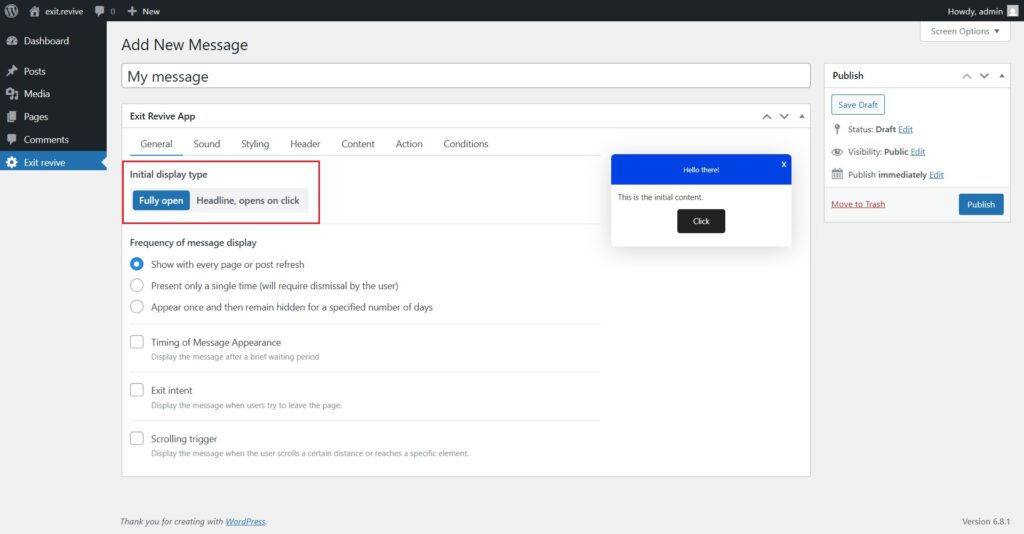
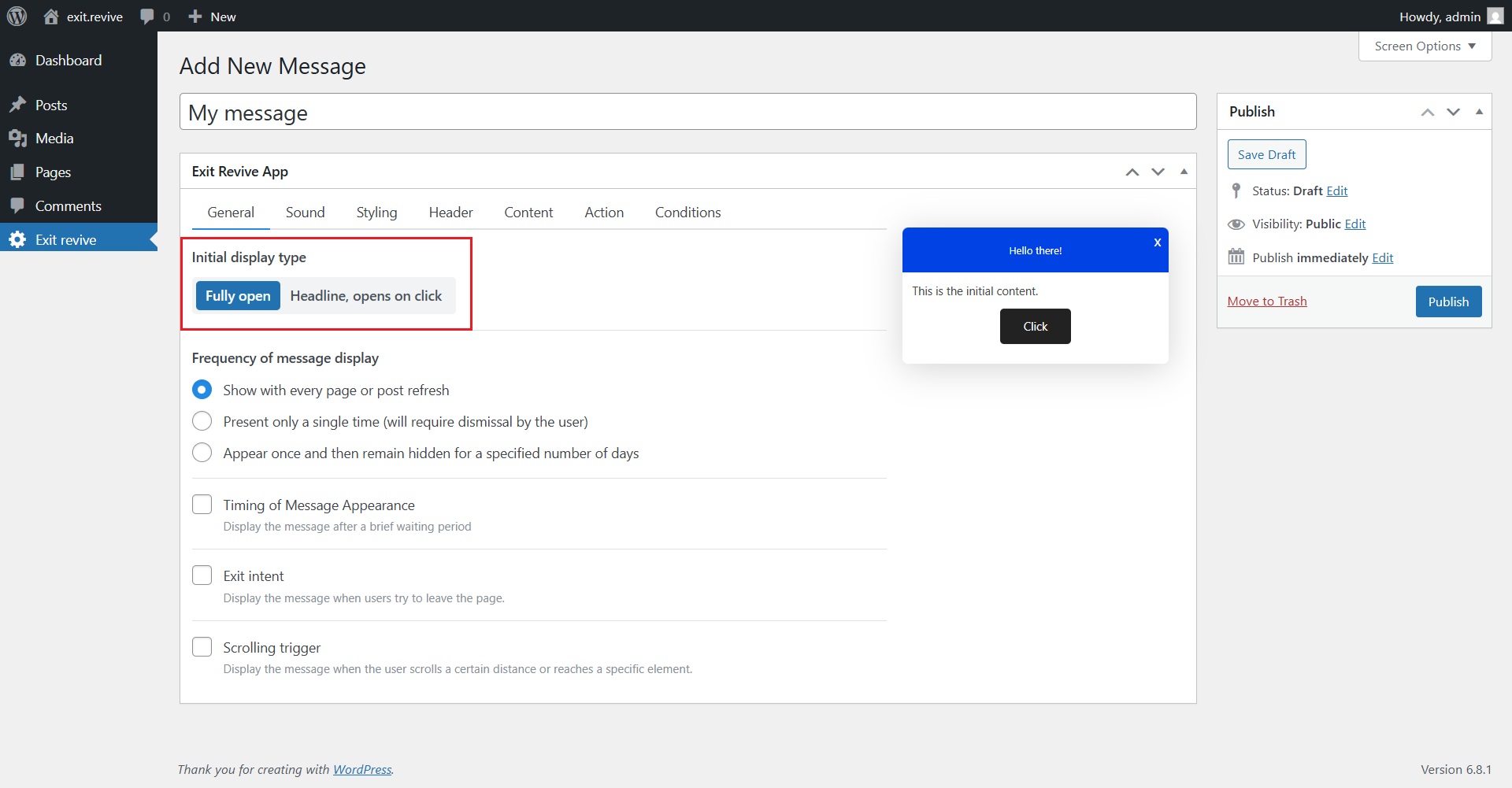
Add a name for your message at the top (e.g., “My message”) for internal reference and Choose Initial Display Type. Under “Initial display type”, select either:
- Fully open – message appears expanded automatically
- Headline, opens on click – only a headline shows until clicked
-
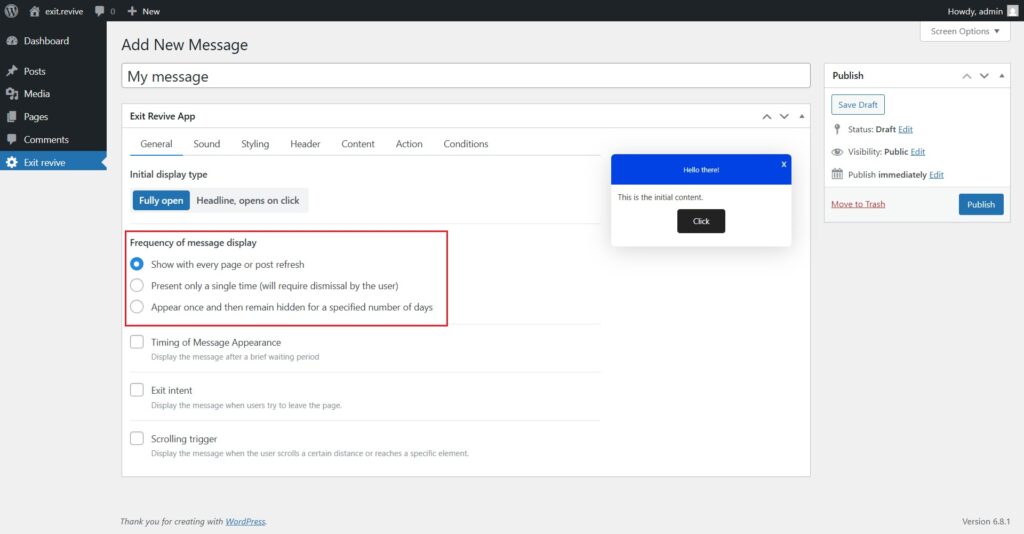
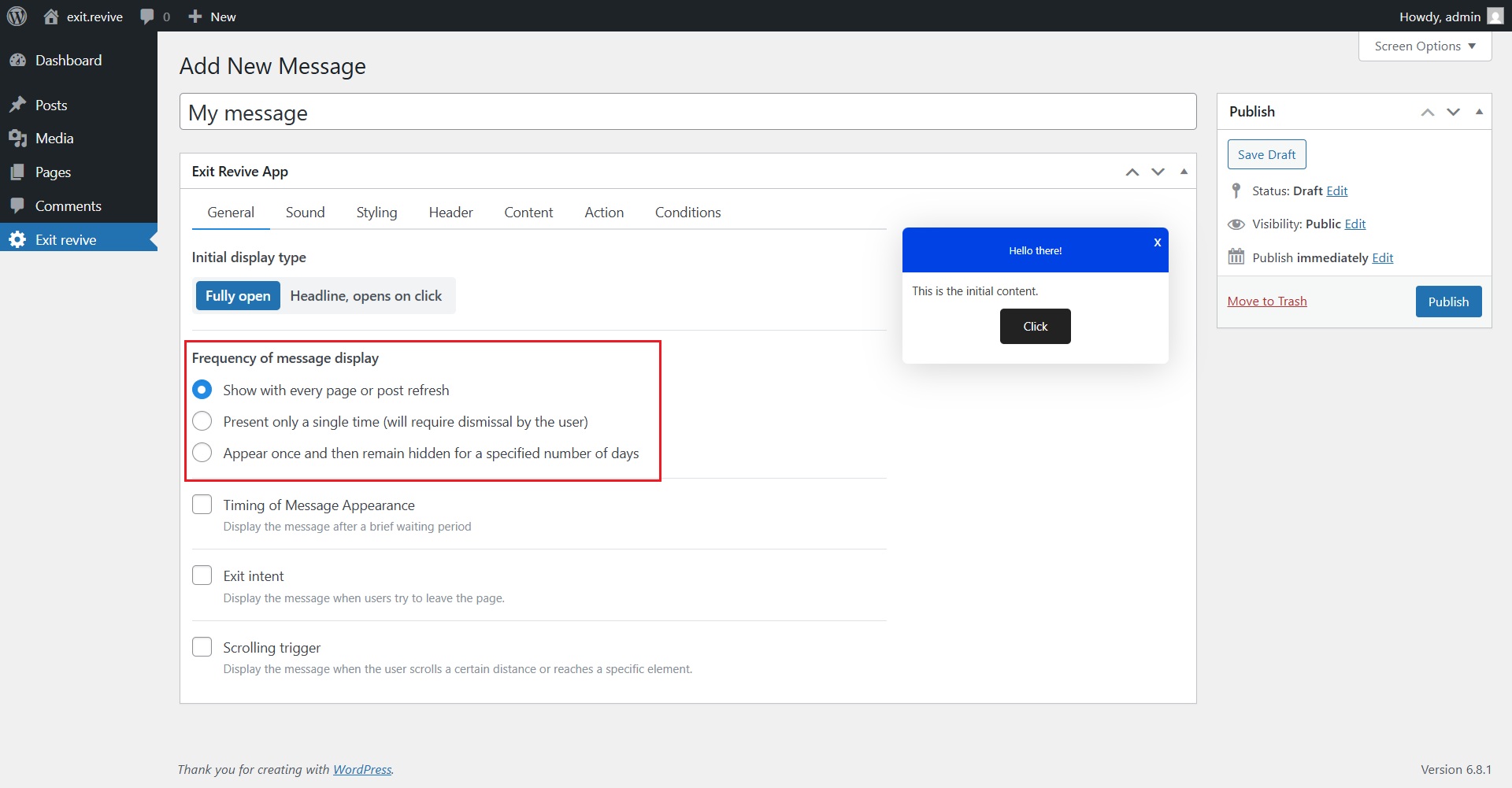
Select Frequency of Message Display
Choose how often the message should appear:- Every page refresh
- Only once
- Once, then hidden for X days
-
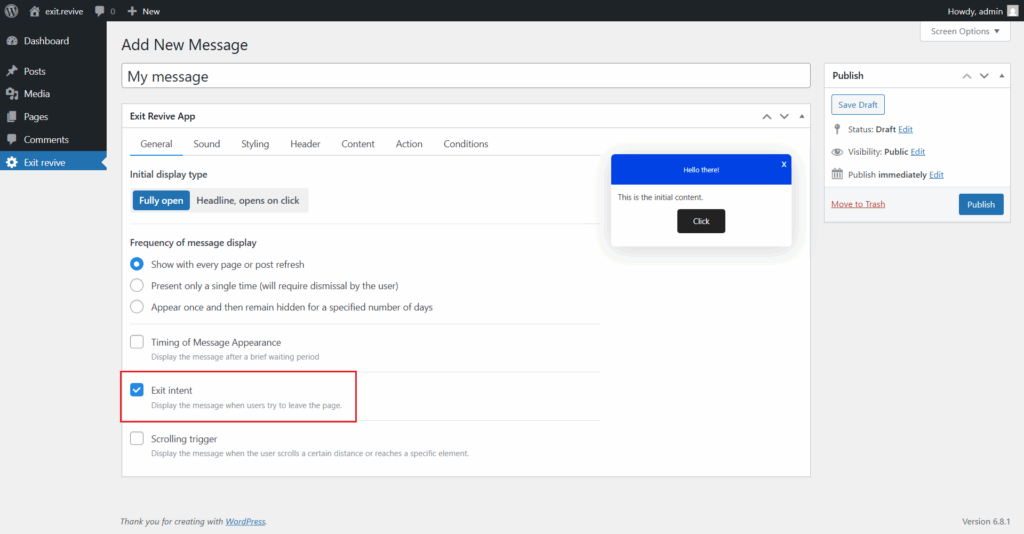
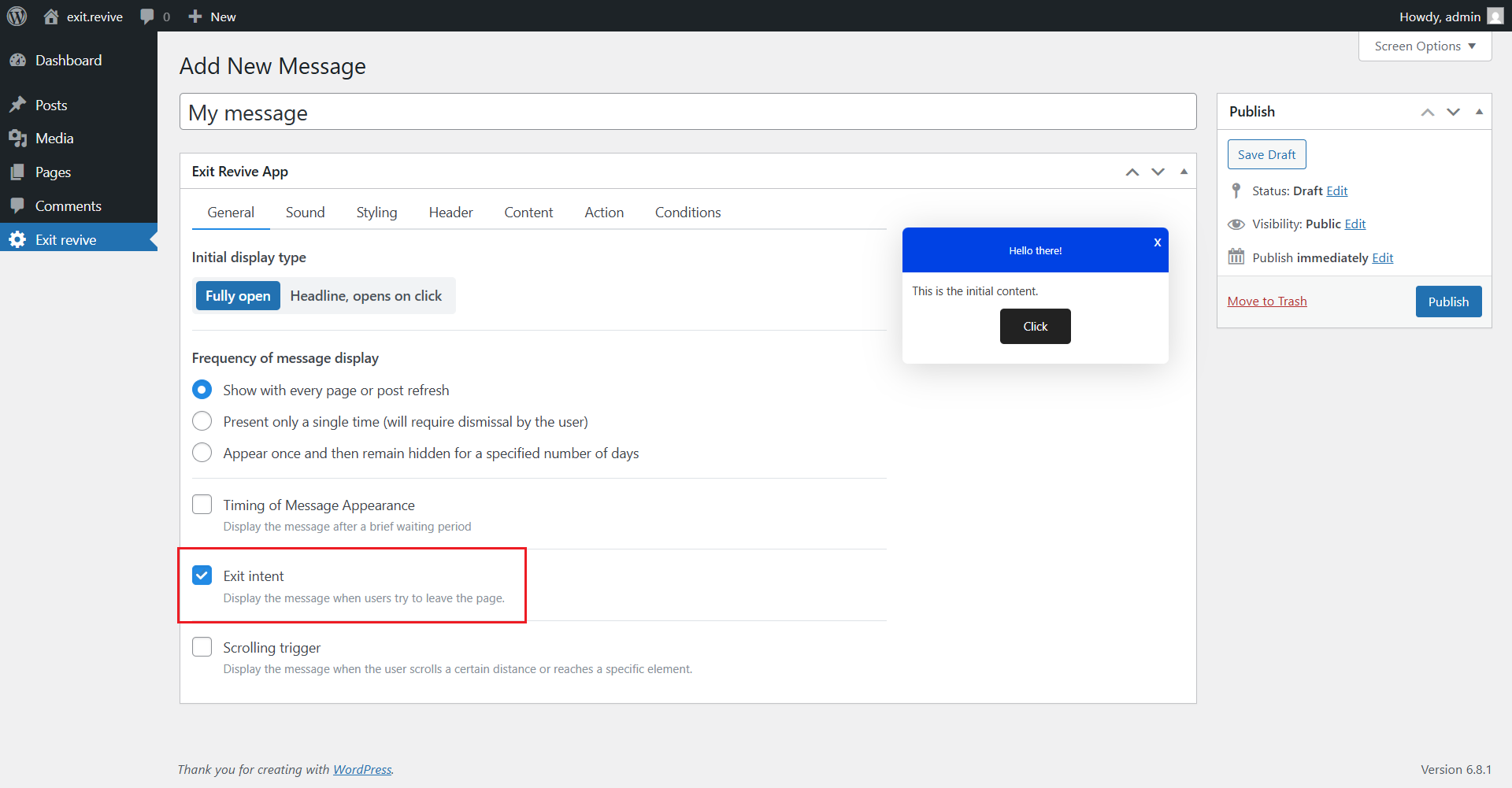
Enable the Exit intent option
-
Customize Message Content
Use the tabs (Sound, Styling, Header, Content, etc.) to personalize your message. -
Click Publish on the right to activate your message on the site.
Nice work! Your message will now appear exactly when the visitor reaches a specific element on the page — a smart way to grab attention at just the right time.