
Integrating Exit Revive with Google Analytics allows you to track how users interact with your exit messages and popups. You’ll be able to see when messages are shown, which ones are clicked, and how they influence user behavior on your site.
This connection helps you understand the effectiveness of your campaigns, measure conversion impact, and fine-tune your targeting based on real user data. By combining Exit Revive’s smart targeting with Analytics’ powerful reporting, you gain full visibility into which messages work, who engages with them, and what happens after the interaction.
How to connect to Google Analytics:
Create a Google Analytics Account (if you don’t have one) and a Property:
-
Sign in with your Google account
-
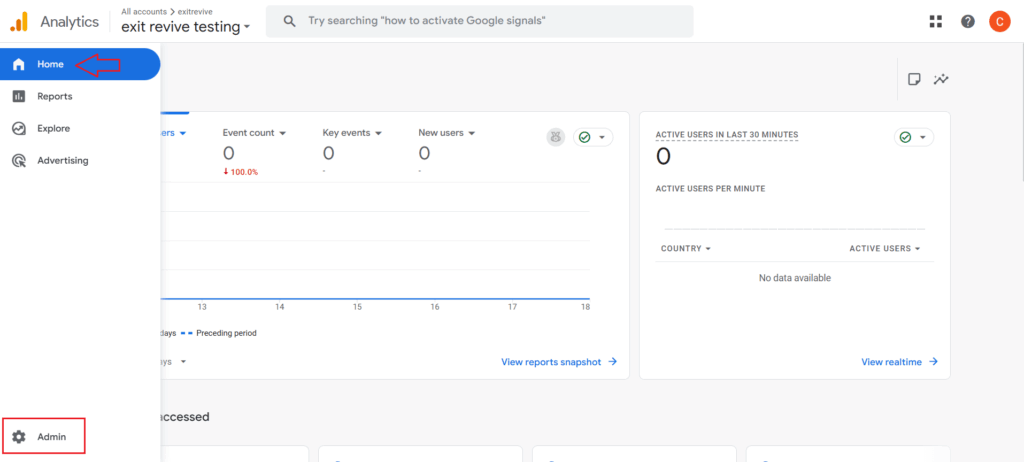
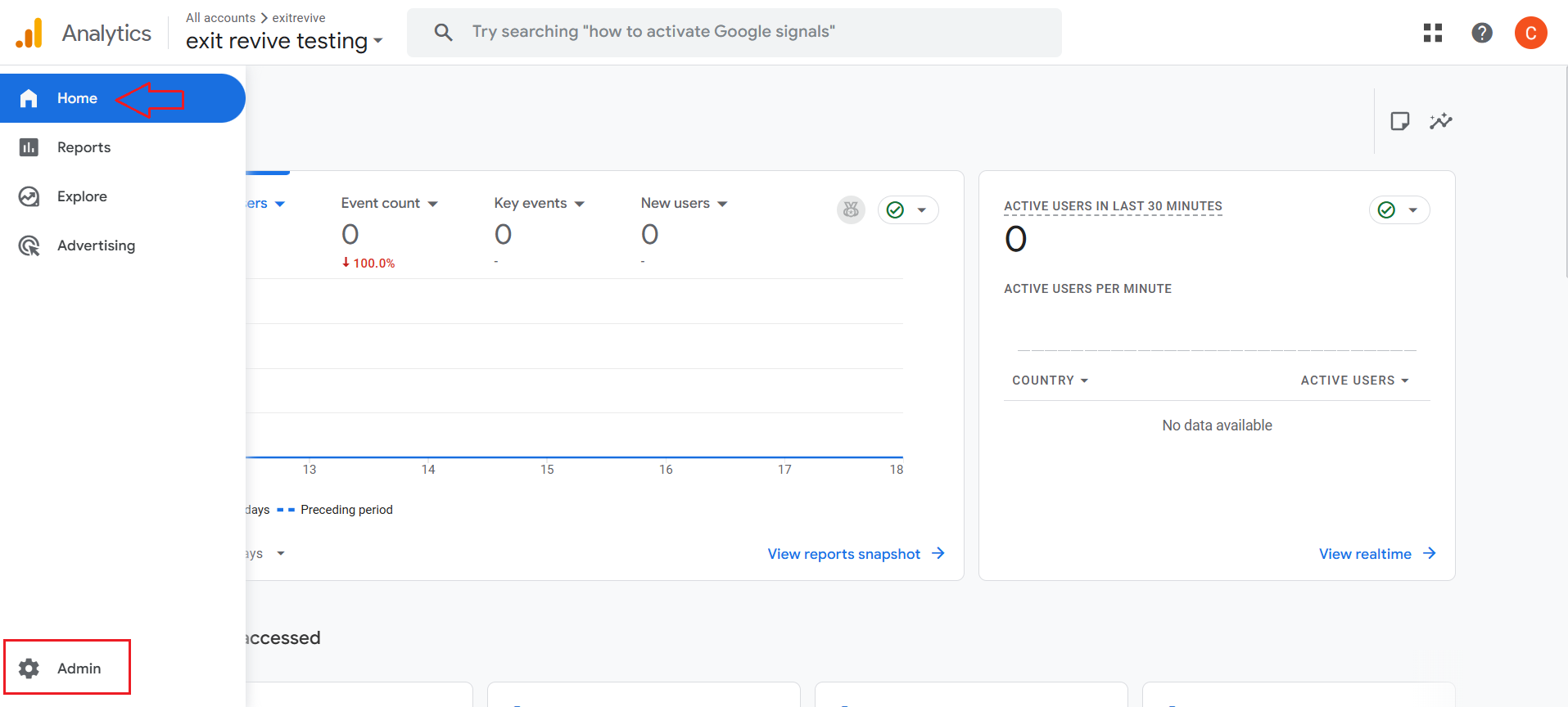
Go to Admin
-
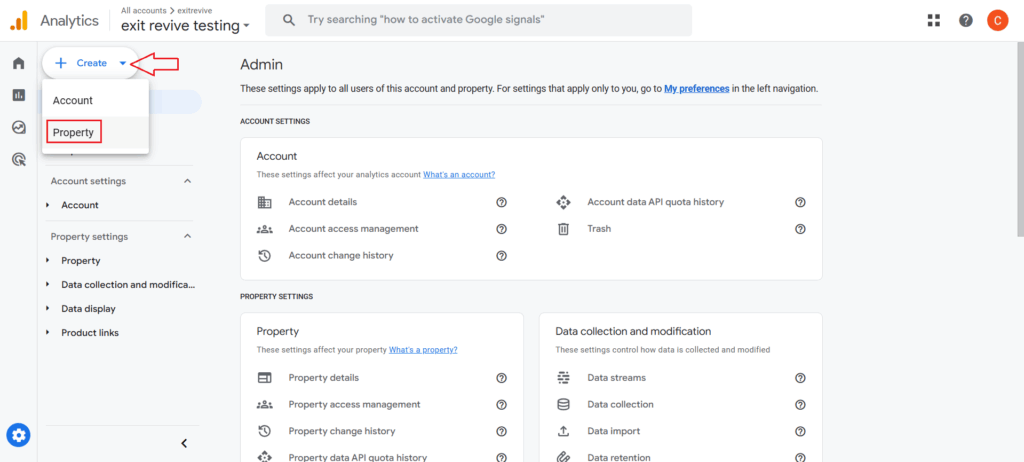
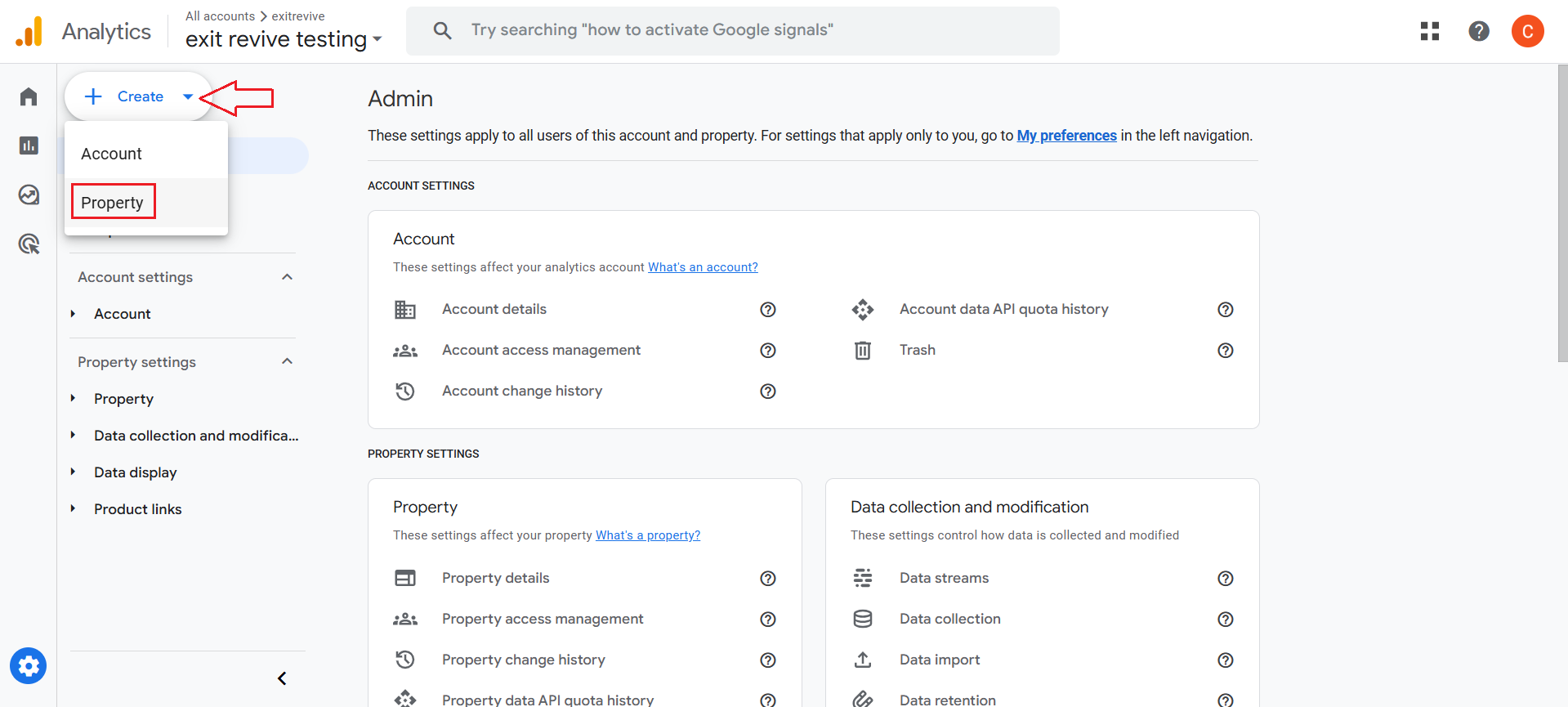
Click on Create > Property
-
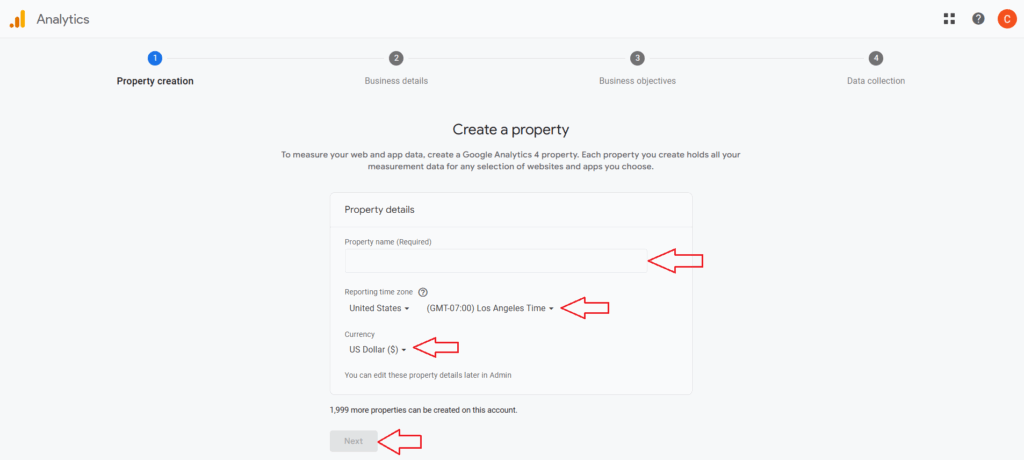
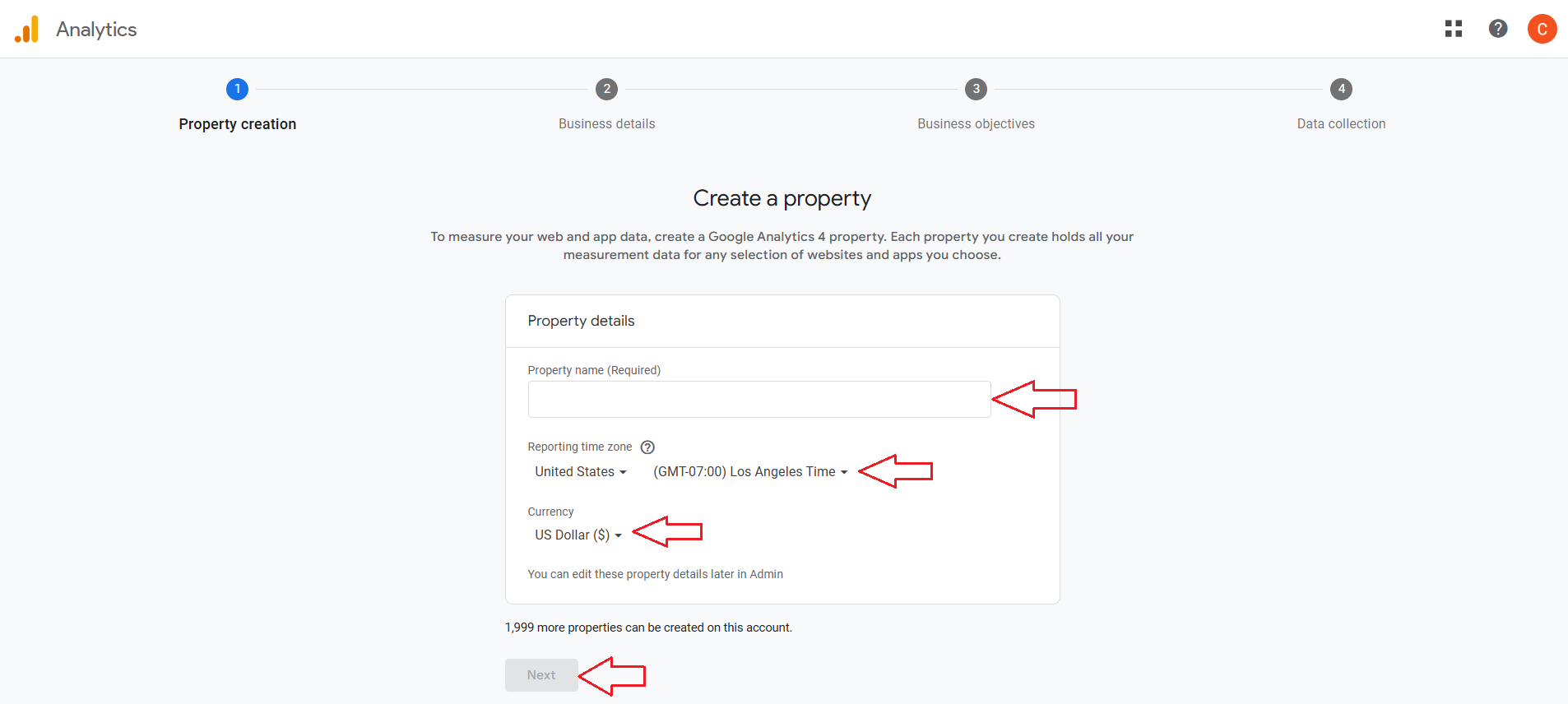
Set up your property – Fill in your property name, time zone and currency and click on Next. Set the business details and objectives and click on Create.
-
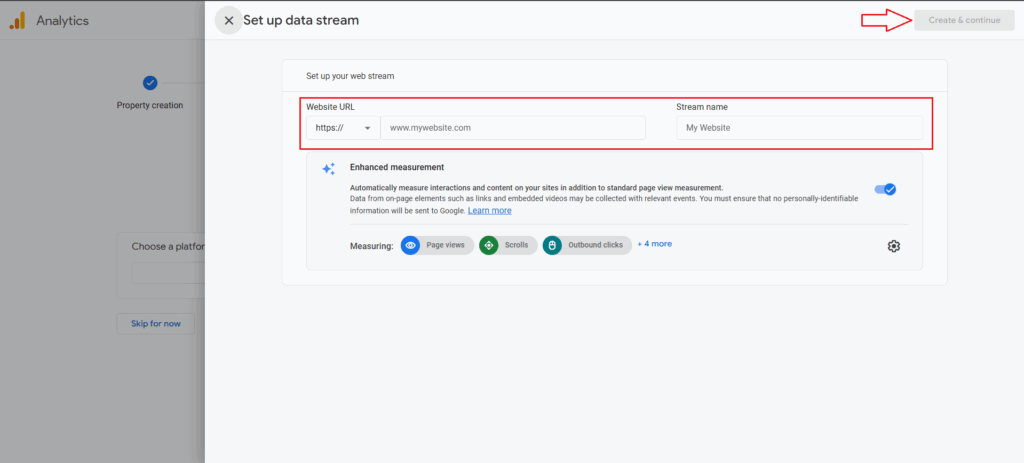
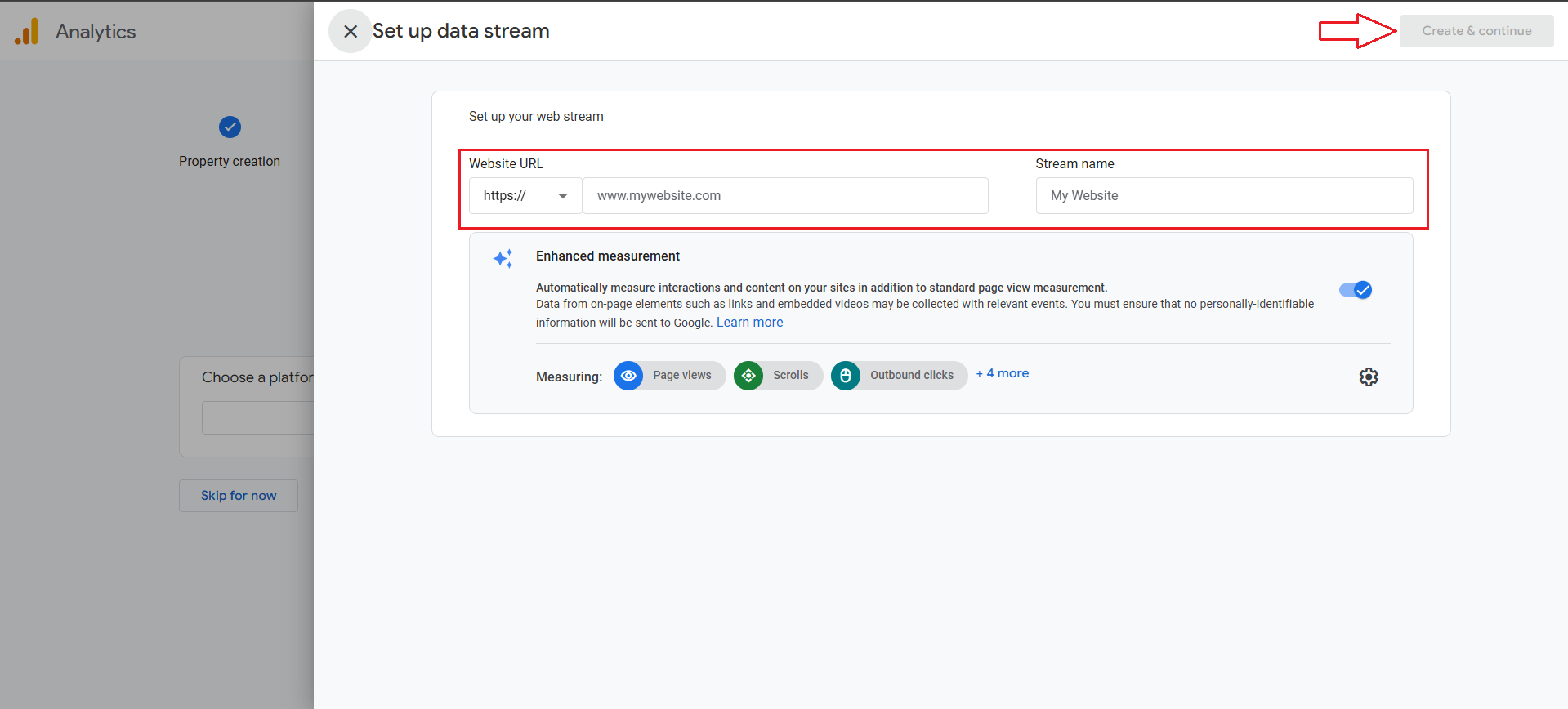
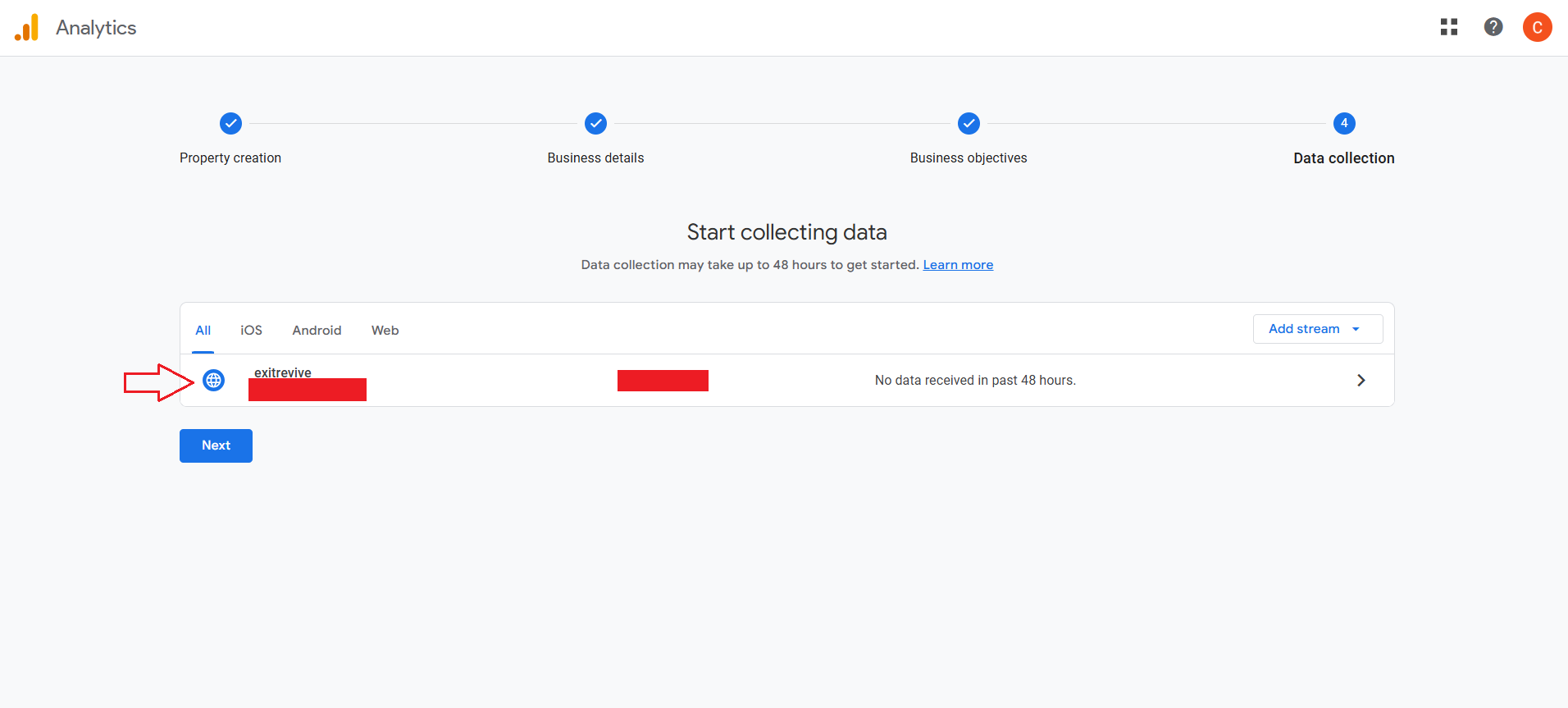
Data collection – Choose a platform, web in this case and fill in your Website URL and Stream name. Click on Create & continue
-
Click on your new property
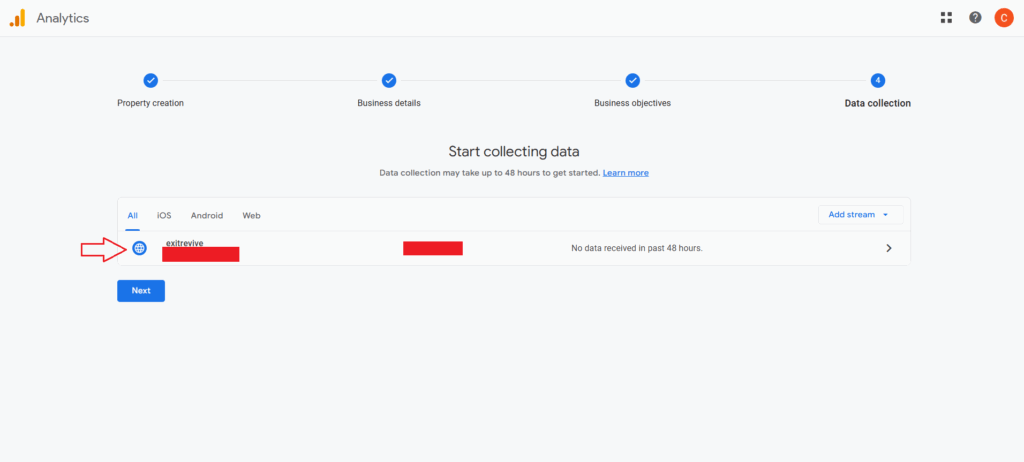
-
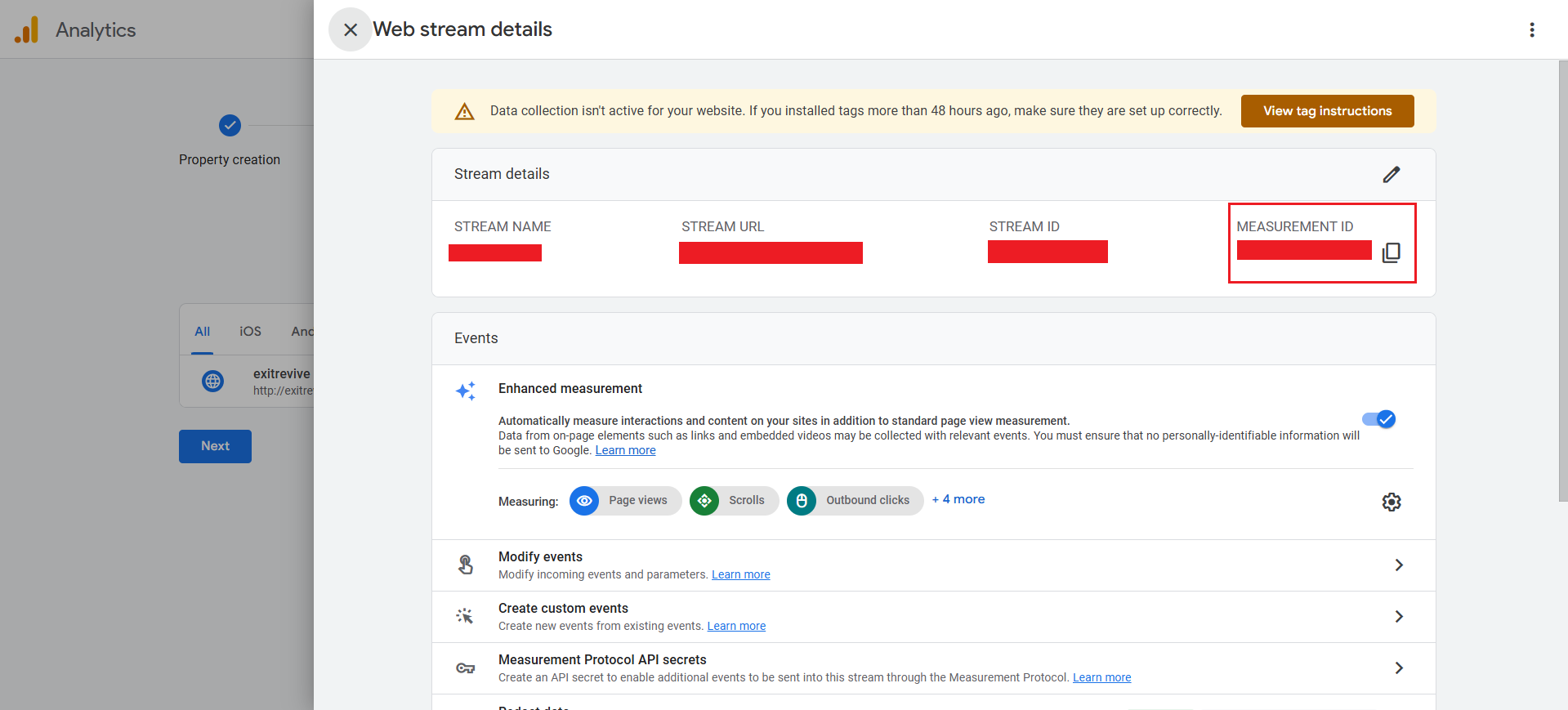
And copy your Measurement Id – you will need it later in the plugin settings
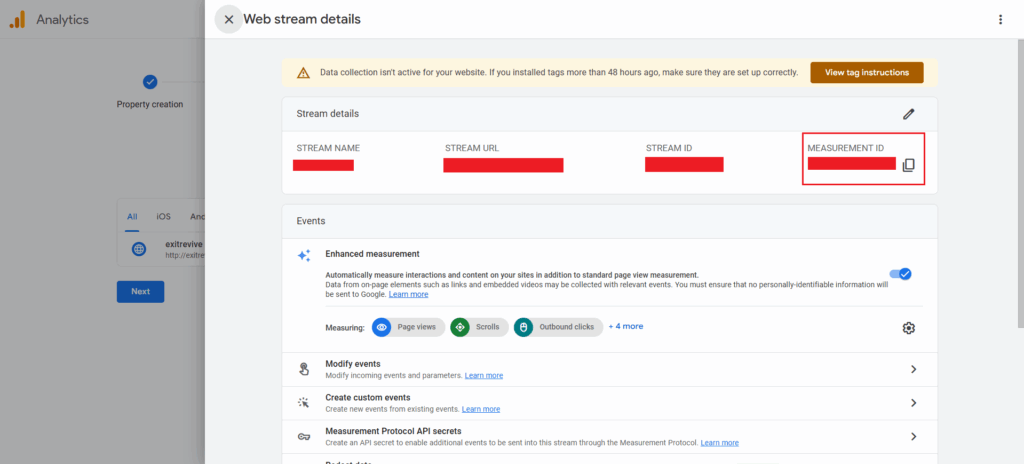
-
Next, you’ll need to obtain your GA API Secret.
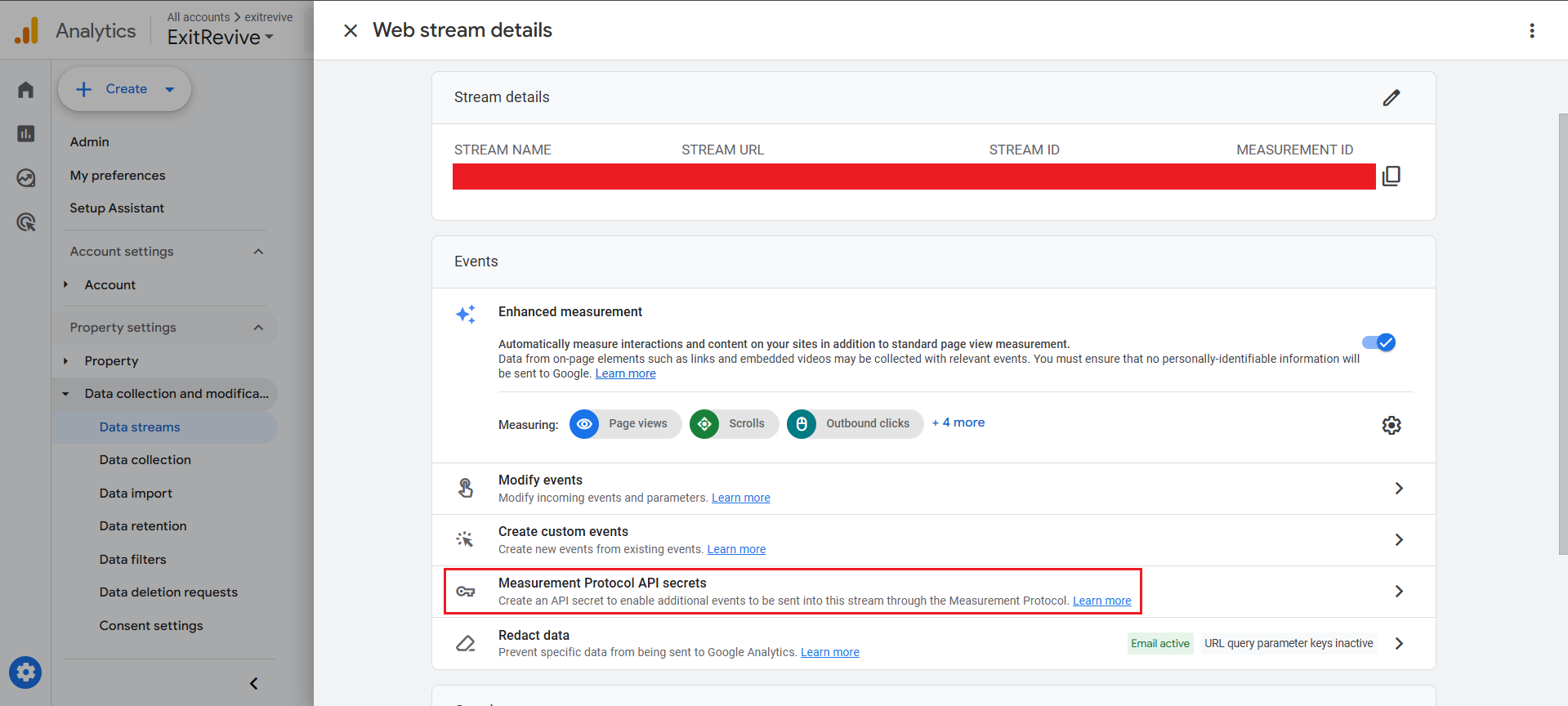
To do this, navigate to the Measurement Protocol API Secrets section in your Web stream details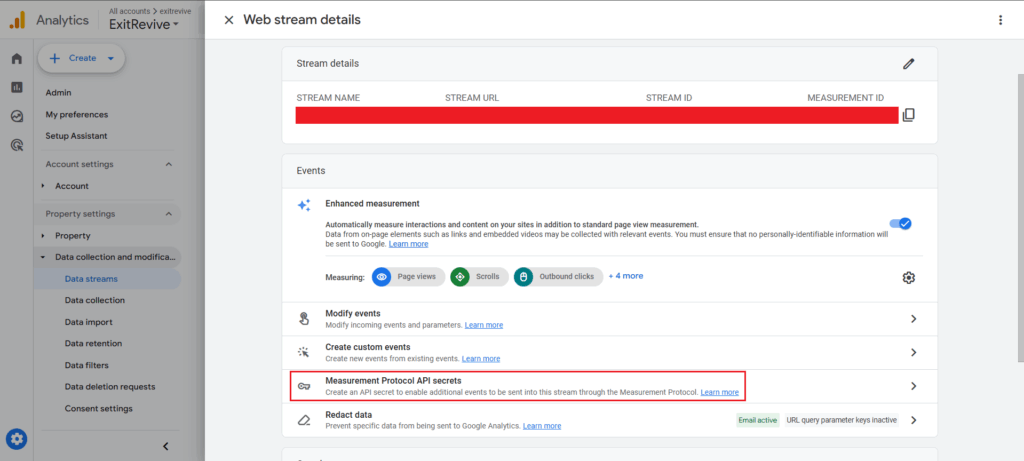
-
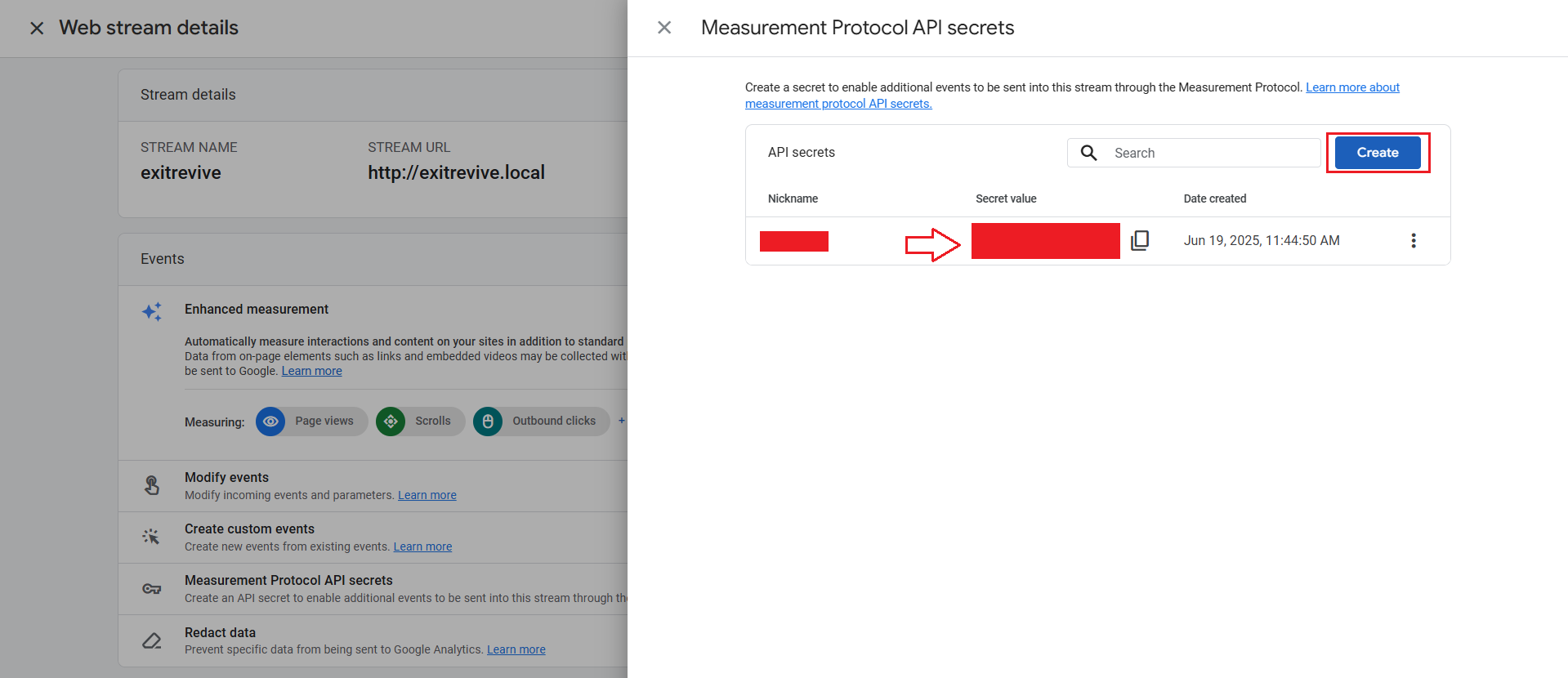
Click on Create, enter a nickname, and confirm by clicking Create again.
Once generated, copy the Secret Value — you’ll need to paste it later in the Exit Revive plugin settings.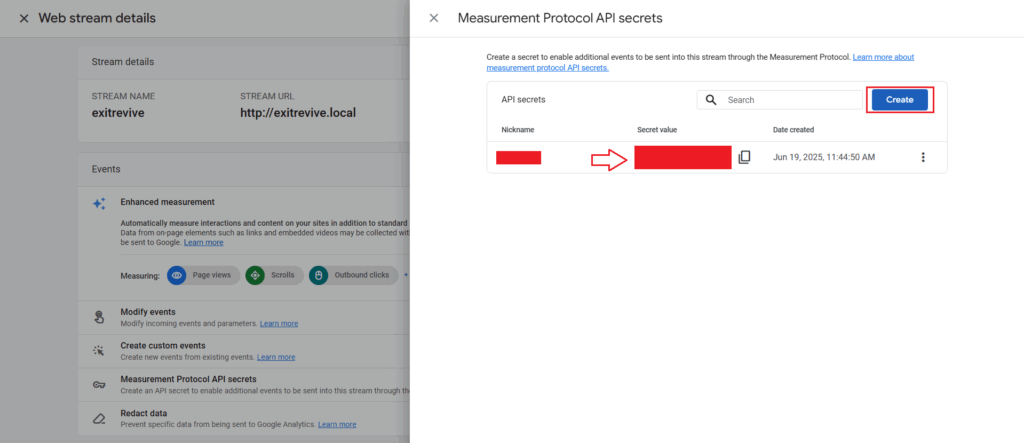
Connect to Google Analytics in Exit Revive
-
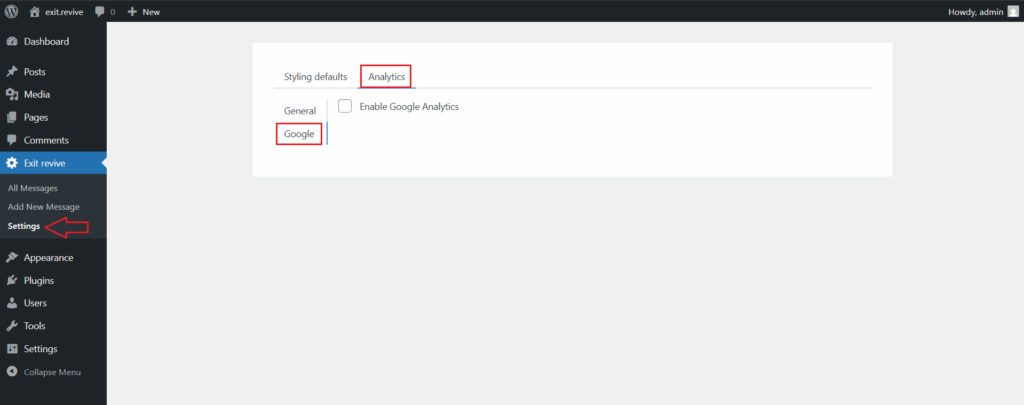
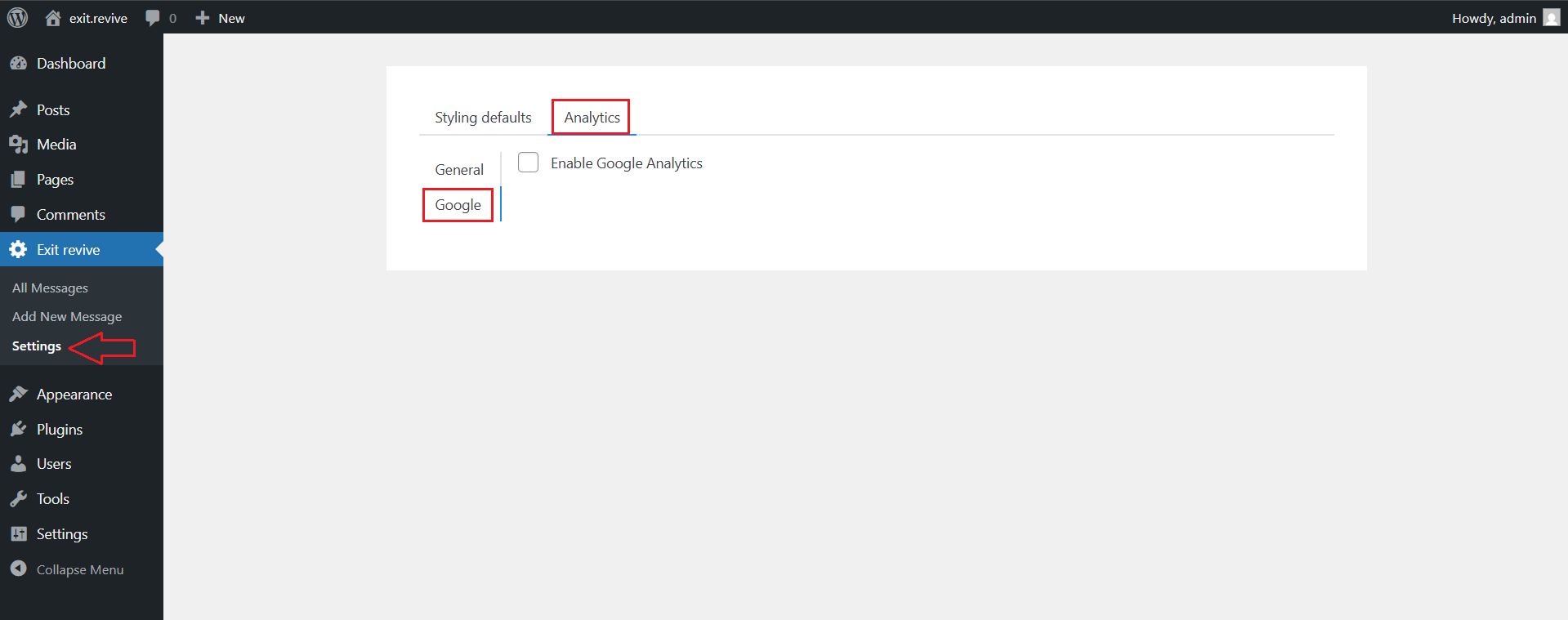
Head over to your WordPress dashboard > Exit Revive > Settings > Analytics > Google
-
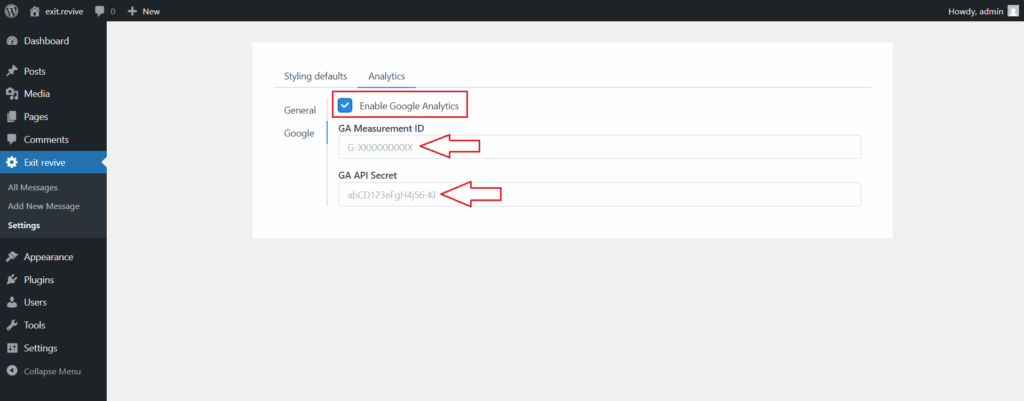
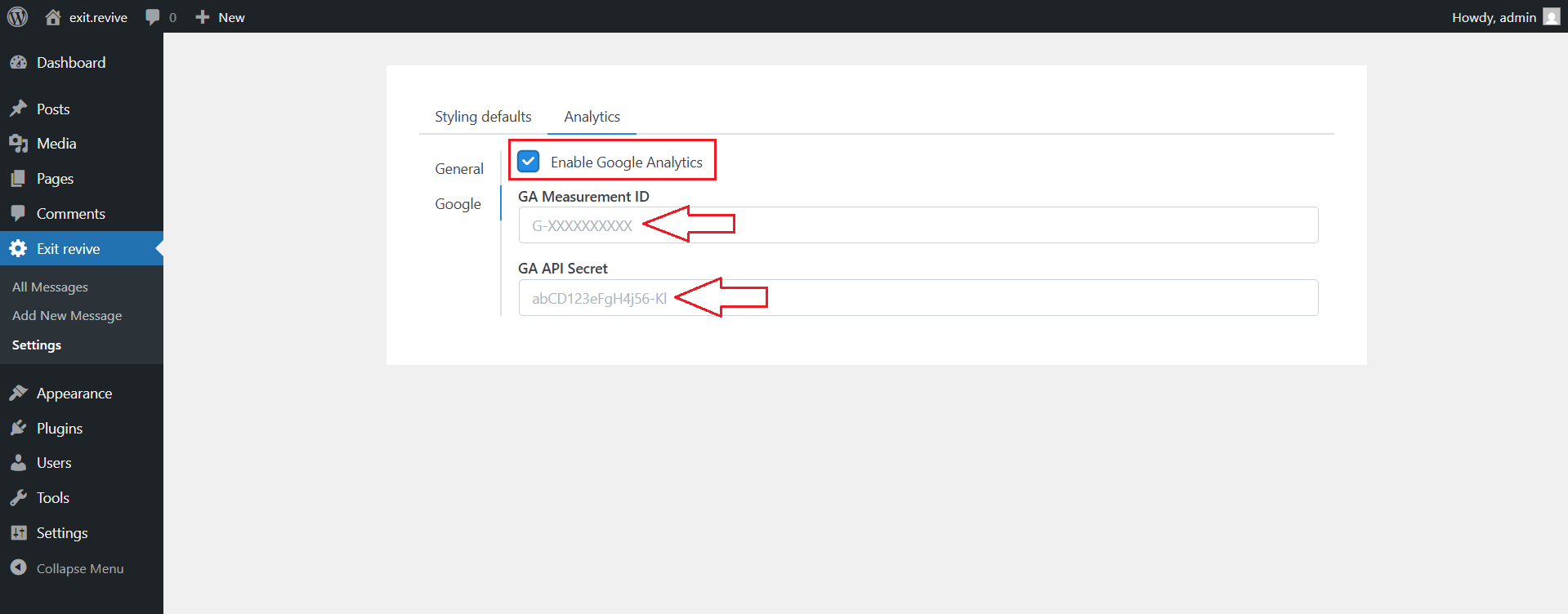
Enable Google Analytics settings and copy your Measurement Id and GA API Secret
That’s it! Your website is now connected to Google Analytics and ready to track visitor interactions in real-time. This integration is a crucial step for understanding your audience and optimizing your site’s performance.