
With Exit Revive, you can tailor your popups not just by page or behavior, but also by user role. Whether you want to show a special message to admins, subscribers, or any other role, this feature lets you deliver highly relevant content to different groups on your site.
In this guide, you’ll learn how to set up Exit Revive to display messages based on the visitor’s user role. This ensures your popups are personalized and targeted, helping you engage the right users with the right message
Follow these steps to make a popup message display only to specific user role:
-
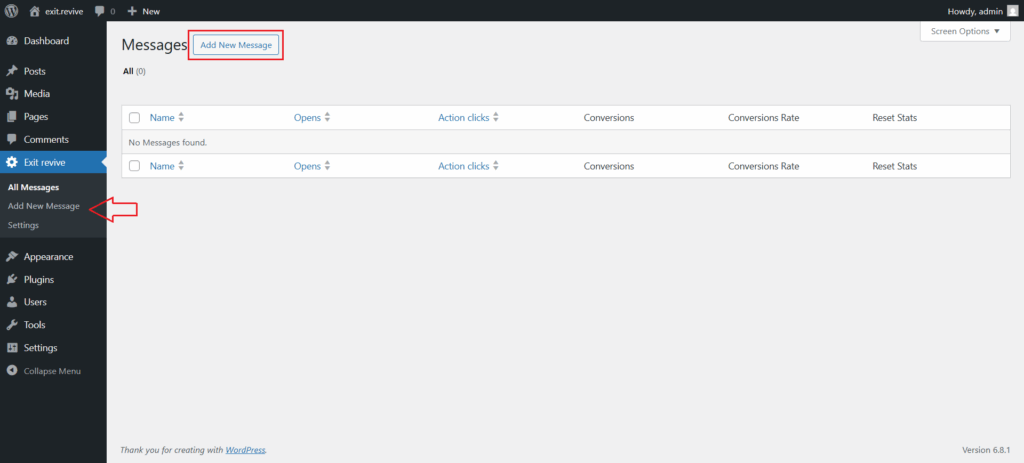
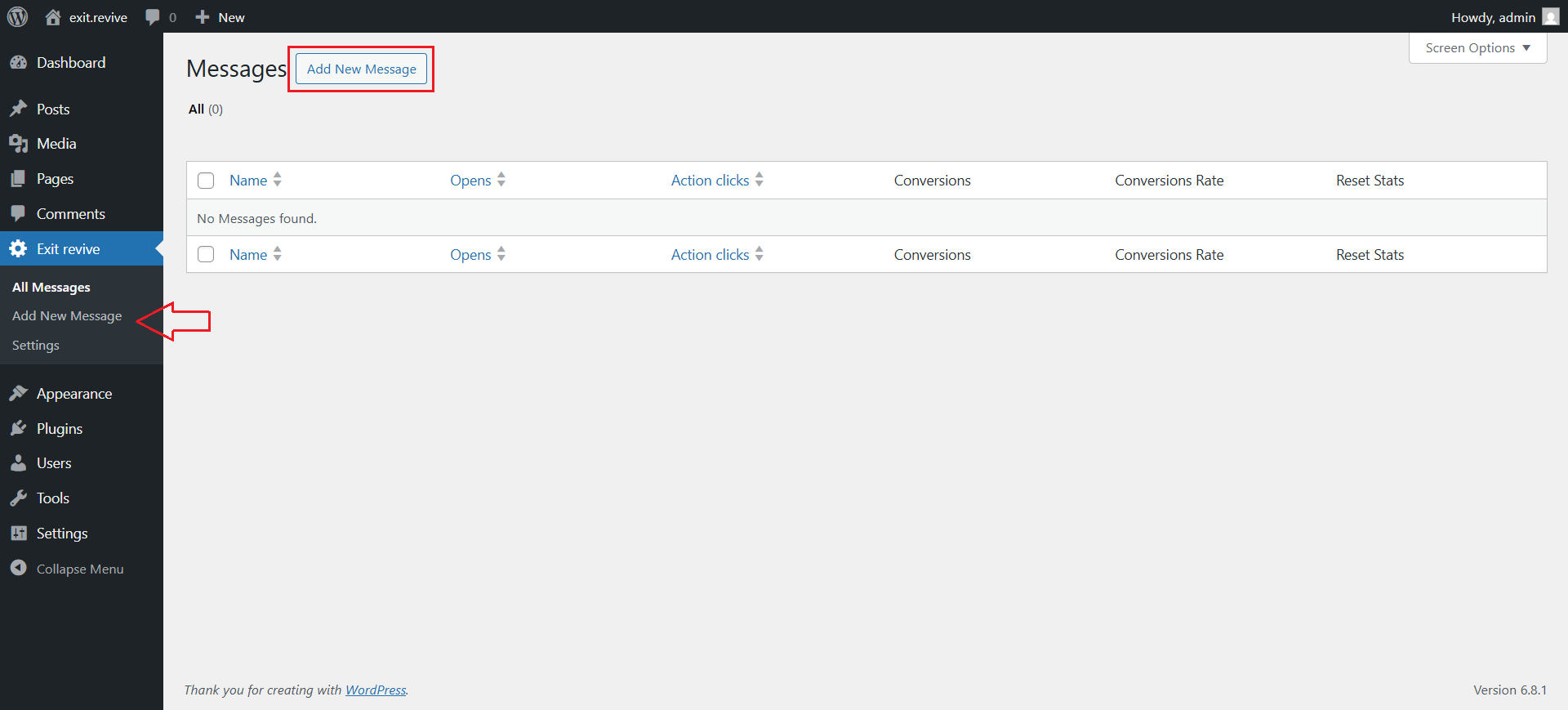
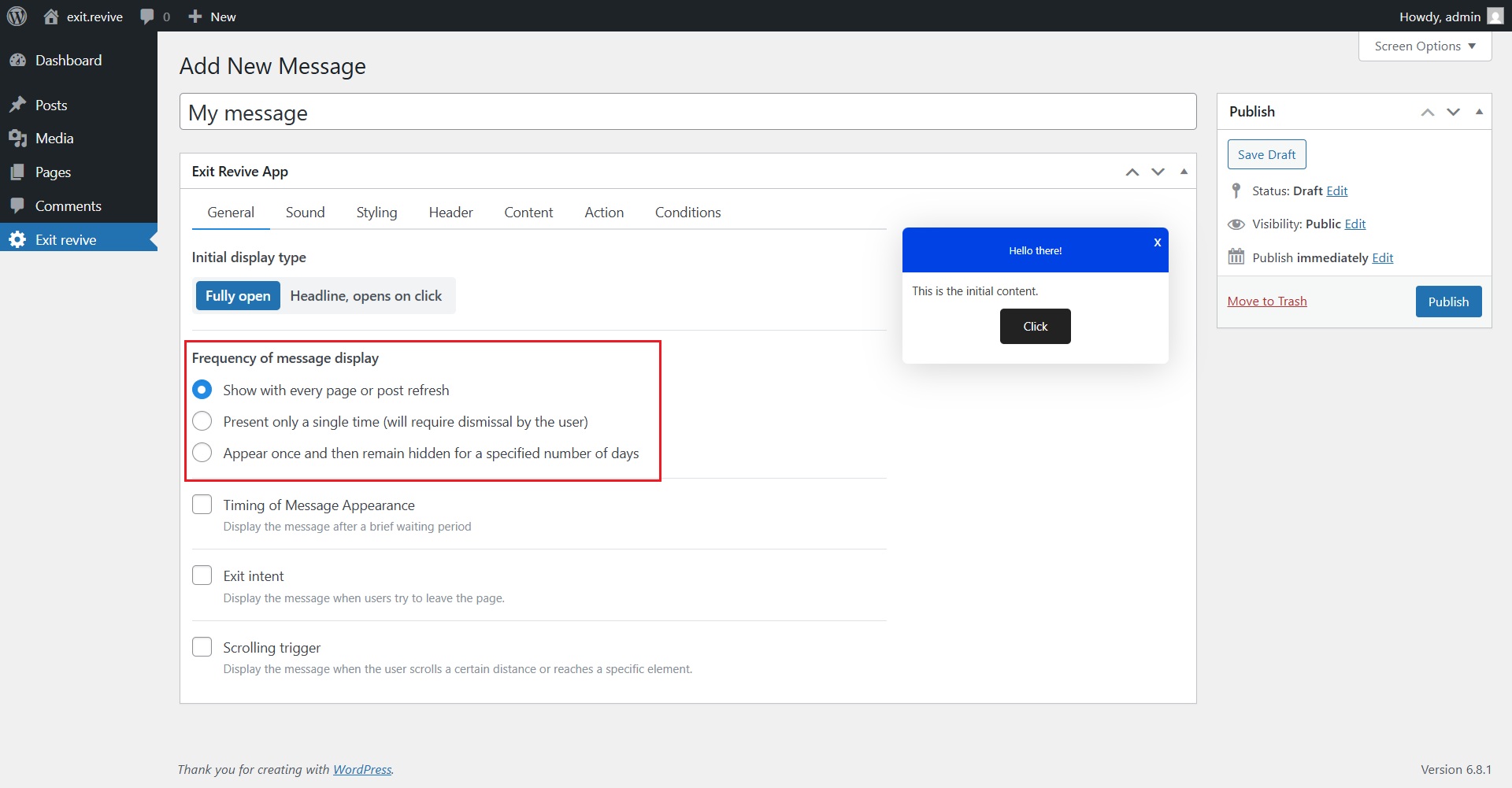
Head over to your WordPress dashboard > Exit Revive > Add new message
-
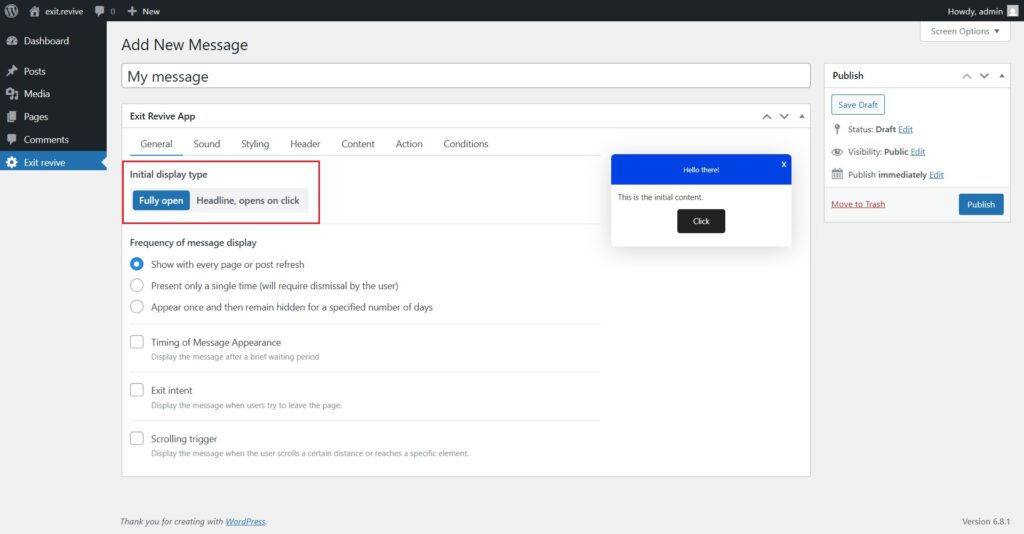
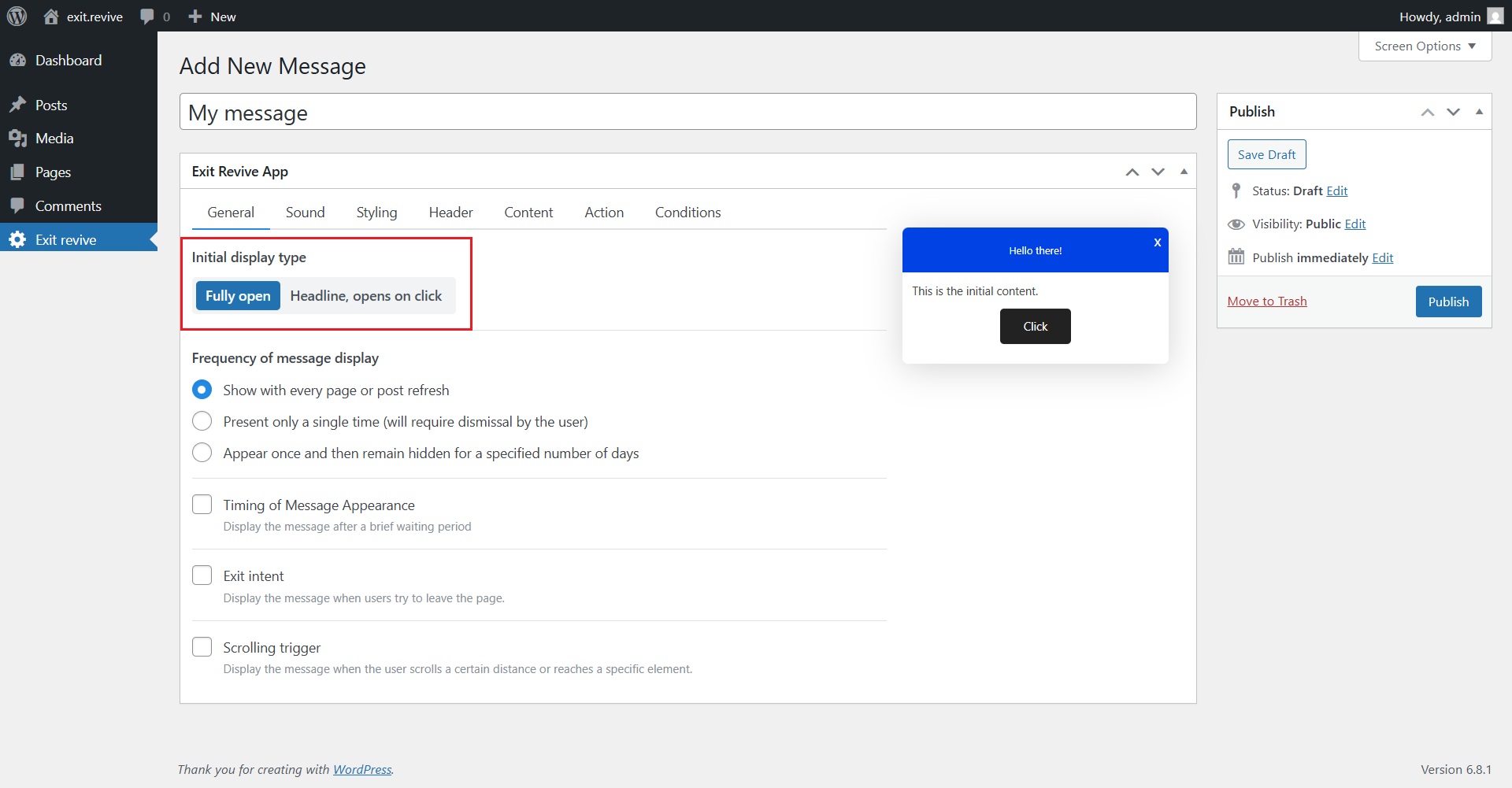
Add a name for your message at the top (e.g., “My message”) for internal reference and Choose Initial Display Type. Under “Initial display type”, select either:
- Fully open – message appears expanded automatically
- Headline, opens on click – only a headline shows until clicked
-
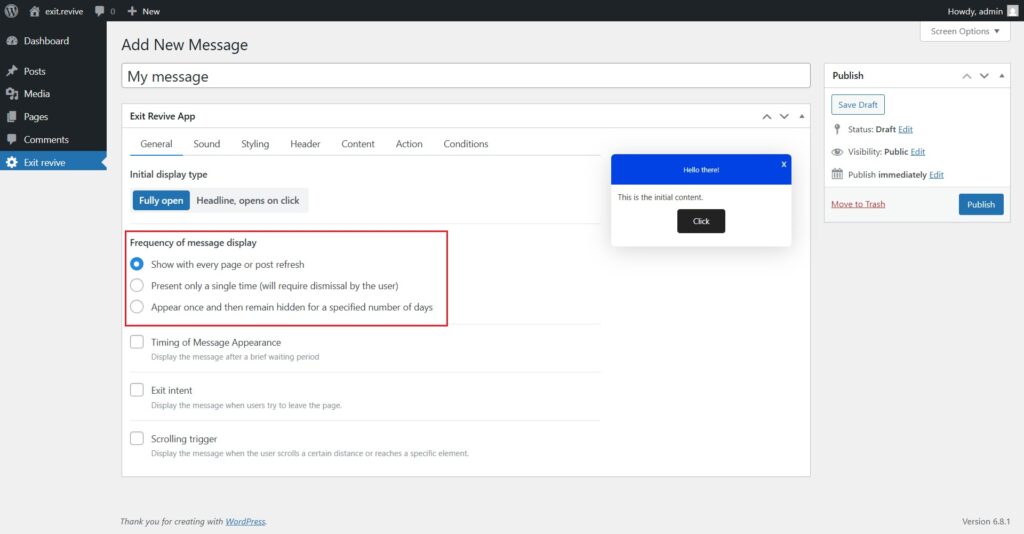
Select Frequency of Message Display
Choose how often the message should appear:
- Every page refresh
- Only once
- Once, then hidden for X days
-
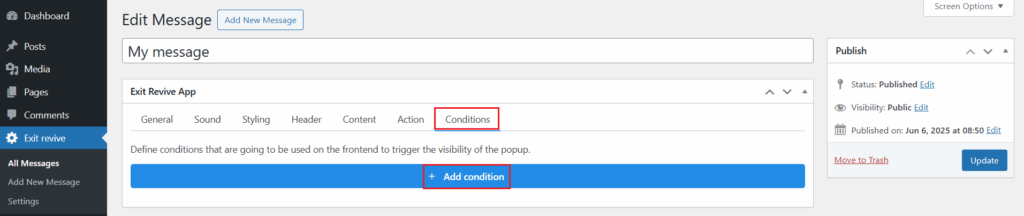
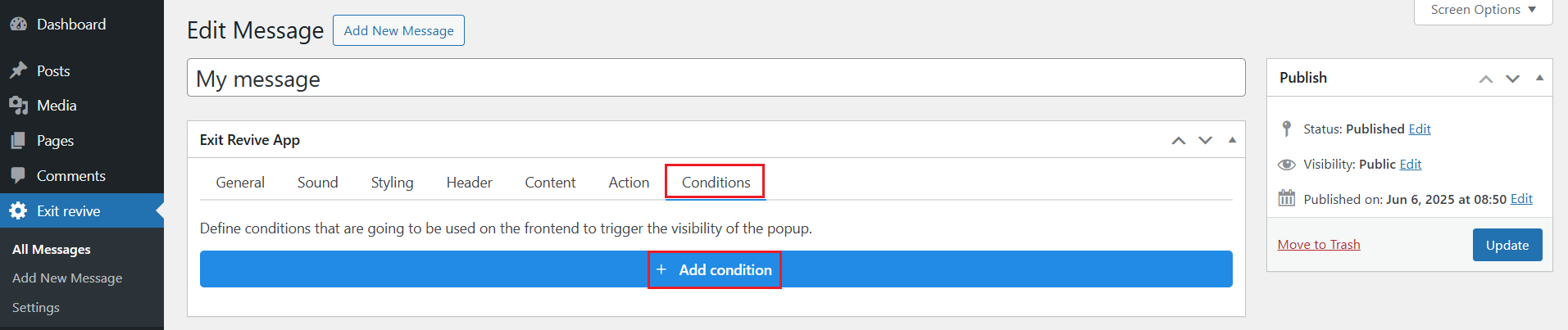
After setting up your message, go to the Conditions tab and click on Add condition.
-
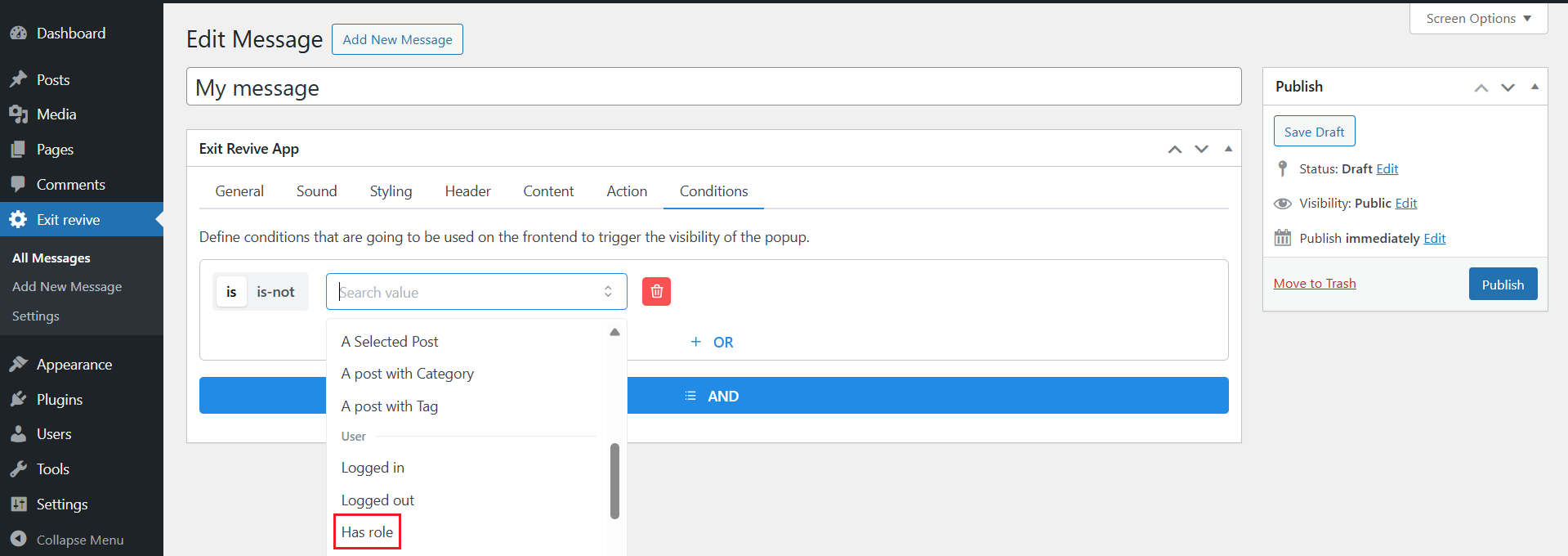
Here you can choose the user role (or exclude roles if you want the message to not appear for certain users).
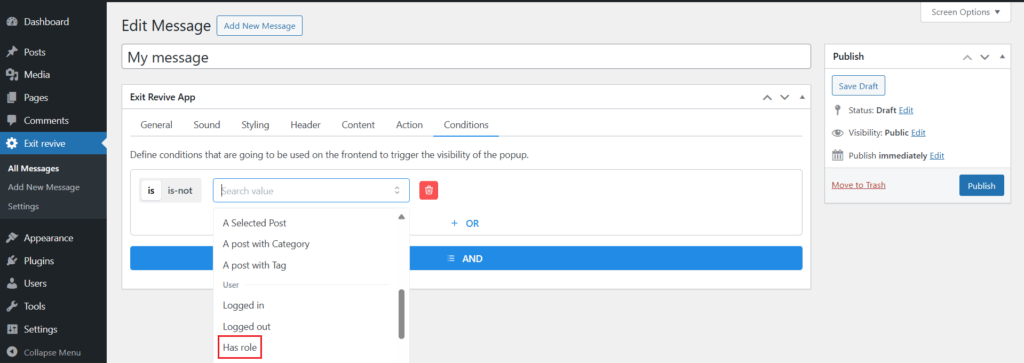
From the “Search value” dropdown, simply scroll through the list and select the “has role” option. Then you can choose which user roles should see your message — whether it’s admins, subscribers, or any other role on your site.
-
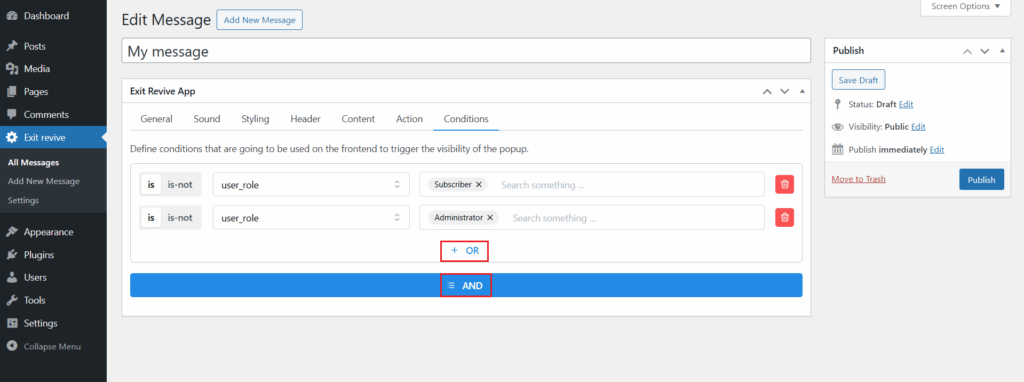
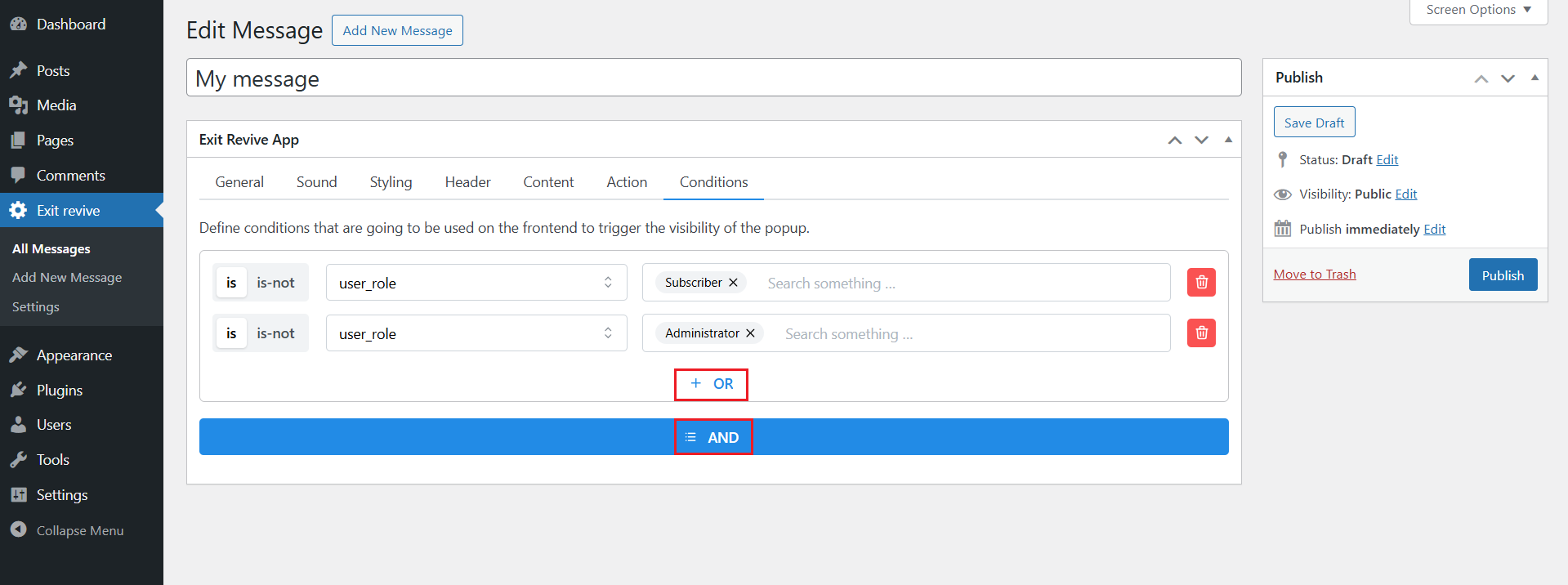
You can also set multiple conditions for your message using logical AND / OR rules:
- AND means the popup will appear only if all the listed conditions are true.
- OR means the popup will appear if any of the listed conditions are true.
-
Once you’ve set the condition, click Update or Publish on the right side.
That’s it! Now you can easily target your messages by user role to make your popups more relevant and effective.